Code.org was a web where we can practice to make a game or something else. we can practice to make a game, there is some option game that can be play to practice. The game are Star Wars, Minecraft, Angry/Flappy Bird, Play Lab/Infinity Play Lab, Frozen, and Artist. After we finished all of the level, we will got a certificate from the code.org. And now i will gave an opinion about some game that i played in this web.
1. Minecraft

Minecraft, this game consist of 14 levels. I think this game need a logic to play it but it was so fun. And at the last level which is level 14, we have to make our own creature that we have studied from the level before.
2. Frozen

From the 3 game above i've got a certificate because i already finished all of the levels.


1. Minecraft

2. Frozen

Frozen, this game consist of 20 levels. Some of the level are a little bit tricky because we have to think about the angle to move the Anna and Elsa. And at the last level we are free to make our own creature,
3. Infiniti Play Lab

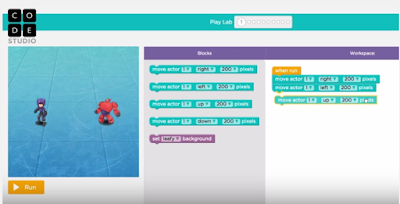
Infiniti play lab, this game consist of 10 level. In this game there is some character which is Anna, Elsa and some character from big hero 6. This game was so fun and so easy, and i can finished it in only 15 minutes.
From the 3 game above i've got a certificate because i already finished all of the levels.

The picture above was the certificate for minecraft^^^

The picture above was the certificate of infiniti play lab and frozen
Thats all from me about my story in code.org, and THANK YOU SO MUCH!!!!


